A little band,
a lot of pedals.
QUARTET turns the FM-1 into a groovebox built around effects pedals, made for musicians. Drums, bass, pads and a lead each have their own pedalboard. Make a beat, stomp on fuzz or spring reverb while it plays, jam over the top and turn it into a song.
Quick start Cheat sheet Play it in your browser Download40 pedals · 84 sounds · 26 drum kits · ten patterns per instrument · ten songs · twelve saves. Press PLAY to hear the demo. New to it? Start with the quick start; this page is the full reference.
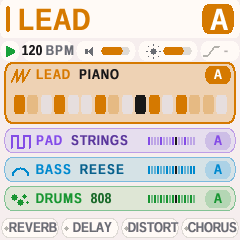
Home: your four players, the chosen one open, its pedalboard along the bottom.
- Instruments and sounds
- The pedalboard
- Every pedal
- Beats and patterns
- Playing live
- Songs and saving
- Bridging between songs
- Sound editing
- Every control
Instruments and sounds
Four instruments, each in its own colour. SELECT picks one, ALGORITHM changes its sound.
The home screen
A row per instrument shows its sound and pattern; the chosen one opens to show its steps. A>C means C plays next. A muted instrument turns red. The line under the title shows the four knobs: the tempo, the chosen instrument's mix level (a speaker) and brightness (a sun), and the pedal fade (a ramp). On the drums the sun becomes a dying hit: KNOB 3 is the kit's decay. OCT+1 shows in the top bar when the keys are shifted. The bottom shows the chosen instrument's pedals, lit when on.
| Instrument | Plays |
|---|---|
| LEAD | melodies and riffs, up to four notes |
| PAD | chords, up to four notes |
| BASS | basslines, one note at a time |
| DRUMS | kick, snare, hi-hat, open hat, clap and percussion |
Changing sounds
Turn ALGORITHM on the home screen to step through the sounds (on drums, the kits), group after group. It works while the music plays, and the top bar shows the sound's name big with its group small beside it (e.g. SYNTH MINI LEAD). For a list by group, press EDIT: KNOB 2 picks the group, KNOB 3 (or ALGORITHM) the sound, running on into the next group at the end of one.
Two leads, three pads
The first three instruments can each be a lead, pad or bass: press EDIT and turn KNOB 1. Two of a kind show as LEAD 1 and LEAD 2. Drums are always the fourth.
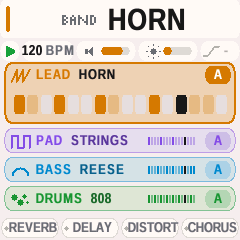
A sound picked: its group, then its name.
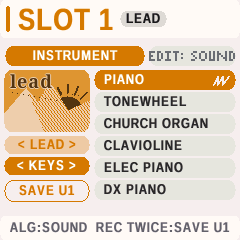
The instrument screen (EDIT).
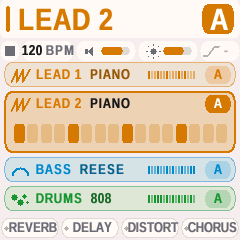
Two leads.
Put the bass on Upright or Tuba.
Put the pads on Choir or Organ.
Play one beat on Jazz, CR-78 and Kitchen kits.
All the sounds
Four groups each, plus your own (USER).
| Lead | Sounds |
|---|---|
| KEYS | Piano, Tonewheel, Church Organ, Clavioline, Elec Piano, DX Piano, Xylophone, Marimba, Music Box, FM Bell, Tine Keys, Clavinet |
| BAND | Brass, Horn, E Guitar, Ac Guitar, Flute, Harmonica |
| SYNTH | Mini Lead, Juno Lead, PWM Lead, Acid Lead, Chiptune, Brass, Pulse, Under, Signal, Fairlight, Rubber |
| ODD | Theremin, Glass Harp, Laser, Bowed, Sine Swarm, Stepper |
| Pads | |
| STRINGS | Strings, Solina, Tremolo, Tape, Choir, Harp, Digital |
| KEYS | Organ, Handpan, Vibes |
| SYNTH | J Strings, Poly, PWM Pad, Prophet, Warm, Warm Synth, Detuned |
| ATMOS | Drone, Frozen, Church, Sweep, Glass, Tidal |
| Bass | |
| ACOUSTIC | Upright, Slap, Plucked, Tuba, Fretless, Picked |
| ANALOG | Moog, 303 Line, Sub, Synth, Rubber, Slide Sub, Blackout |
| DIGITAL | DX, Reese, Electro, FM, Deep Reese, Synth Pluck, J Bass, Lately |
| WILD | Fuzz, Wobble, Growl, Womp, Dirt |
| USER | Your own: up to 8 per type. |
| Drums | Kits |
|---|---|
| GROOVE | Rock, Hip-Hop, Lo-Fi, Breaks, Jazz, Funk, Toms, Close |
| MACHINES | CR-78, Mini Pops, LM-1, 606, 808, 909 |
| ELECTRO | Electro, Techno, Trap, House, Dub, Industrial, Gated |
| ODD | Toy, Glitch, Metal, Noise, Kitchen |
| USER | Your own: up to 4. |
The LM-1 kit uses samples of a real Linn LM-1 (its clap and perc keys are toms). The perc drum changes with the kit. In Toms the OH, CP and PC lanes are a floor, mid and high tom (FT MT HT); in Gated CP and PC are two electronic toms (TL TH) and the snare is a big room cut off short; Close is dry, with a rim snare, a finger snap (CP) and a stick click (PC). Two sounds are called Brass: the group shown beside the name tells BAND BRASS from SYNTH BRASS.
Sounds from older saves that are no longer listed still load and play.
The pedalboard
Pedals are the heart of QUARTET. Each instrument has four, chosen from 40, and you can change them while the music plays.
How to use them
| On / off | Tap FX SEL ENV or LFO. The button lights when it's on. |
| Open | Hold the button. |
| Adjust | KNOB 2 3 4 are its three knobs. KNOB 1 switches it on or off. |
| Change | ALGORITHM picks a pedal; PRESETS jumps to another kind (drive, filter, modulation, space, pitch, texture, behaviour). |
| Fade | On the home screen, KNOB 4 makes pedals fade in and out over 1–4 bars when you tap them (-: at once). Reverb and delays fade their send, so tails ring out. |
Pedals follow the instrument chosen with SELECT. Each starts with Reverb, Delay, Distortion and Chorus.
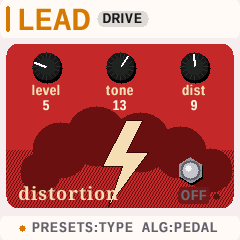
The Distortion pedal.
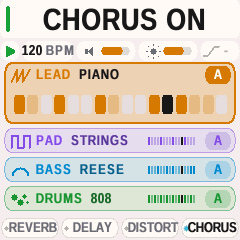
Tap a pedal: its name shows.
Try these
On the lead, pick Piano or Tonewheel and tap ENV.
On the pads, tap LFO.
On the drums, hold FX, turn ALGORITHM to Spring Reverb and raise KNOB 2.
Hold a pedal button, turn PRESETS to TEXTURE or BEHAVIOUR and try Old Media, Underwater or Glitch.
All four at once
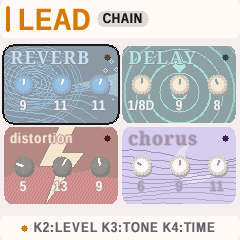
EDIT three times.
Press EDIT three times (past the instrument and the sound editor) to see all four pedals. ALGORITHM picks one, KNOB 1 switches it on or off, KNOB 2–4 adjust it and PRESETS swaps it. The sound goes through them in order: FX, SEL, ENV, LFO.
Meet the pedals
All 40, by kind. Knobs are listed as KNOB 2, 3, 4.
DRIVE
Grit and growl, from warm crunch to all-out fuzz, and a compressor to even it all out.
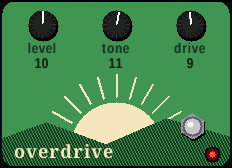
Overdrive
Softer, tube-amp warmth that starts clean and breaks up as you push it.
LEVEL · TONE · DRIVE
Try it on electric piano or bass.
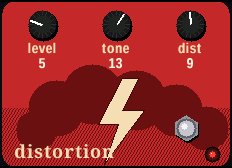
Distortion
Classic rock crunch: a hot, saturated edge that gets heavier as you turn it up.
LEVEL · TONE · DIST
Try it on a piano or Tonewheel for a gritty keyboard.
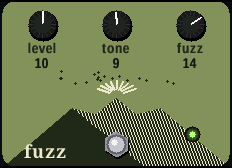
Fuzz
A thick, buzzy sixties fuzz box.
LEVEL · TONE · FUZZ
Try it on a synth lead or a bassline.
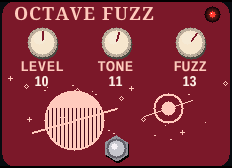
Octave Fuzz
Fuzz with an extra note an octave up: ringing and nasal.
LEVEL · TONE · FUZZ
Try it on lead solos.
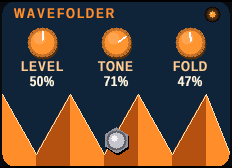
Wavefolder
Folds the sound back on itself for a bright, metallic, buzzing edge.
LEVEL · TONE · FOLD
Try it on bass or pads.
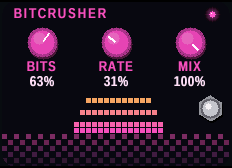
Bitcrusher
Crunchy low-resolution digital, from old game console to broken radio.
BITS · RATE · MIX
Try it on drums.
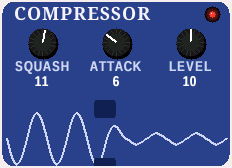
Compressor
Evens out the loud and the quiet: a slow attack lets the start of each note punch through, then it holds the rest steady.
SQUASH · ATTACK · LEVEL
Try it on drums, or a plucky bass.
FILTER
Make a sound talk.
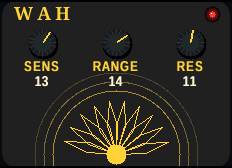
Wah
Opens up the harder you play, like a wah pedal following your touch.
SENS · RANGE · RES
Try it on a funky Clavinet or guitar.
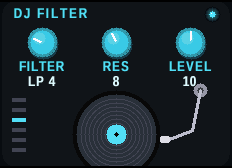
DJ Filter
One knob from muffled to thin, like a DJ mixer: sweep the drums down for a breakdown and back up for the drop.
FILTER · RES · LEVEL
Try it on drums, for a breakdown.
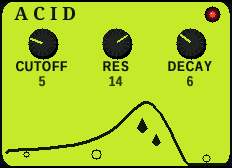
Acid
A squelchy filter that snaps open on every note: the sound of an acid bass line, on any instrument.
CUTOFF · RES · DECAY
Try it on bass, pads, even piano.
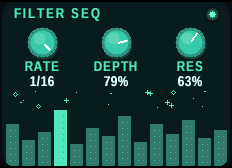
Filter Seq
A filter that steps open and shut in time with the beat, turning held chords into a rhythm.
RATE · DEPTH · RES
Try it on long pad chords.
MODULATION
Movement, width and wobble.
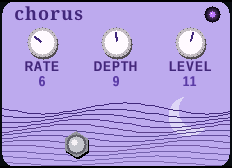
Chorus
A gently drifting copy that makes the sound wide and lush.
RATE · DEPTH · LEVEL
Try it on pads and electric piano.
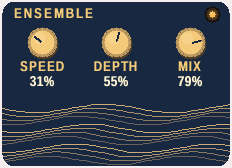
Ensemble
The shimmering chorus of the old string machines: three copies of the sound, each gently wavering, for a wide, lush wash.
SPEED · DEPTH · MIX
Try it on Solina, Strings or electric piano.
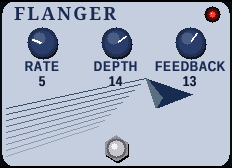
Flanger
A jet-plane swoosh from a tiny, sweeping echo.
RATE · DEPTH · FEEDBACK
Try it on drums or guitar.
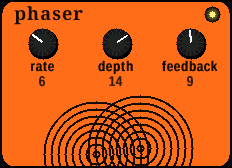
Phaser
A swirling, whooshing sweep.
RATE · DEPTH · FEEDBACK
Try it on organ or strings.
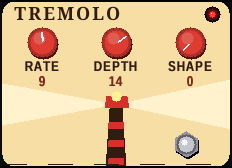
Tremolo
Pulses the volume, from a gentle throb to a hard on-off chop.
RATE · DEPTH · SHAPE
Try it on electric piano or guitar.
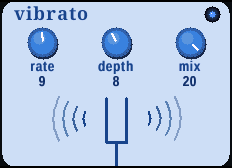
Vibrato
Wobbles the pitch, like a singer's vibrato or a warped tape.
RATE · DEPTH · MIX
Try it on flute or strings.
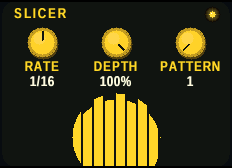
Slicer
Chops the sound into rhythms locked to the tempo, with eight patterns to choose from.
RATE · DEPTH · PATTERN
Try it on pads, for a pulsing gate.
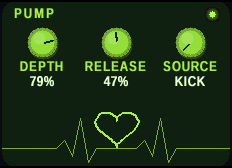
Pump
Ducks the sound on every kick drum (or every beat), so the part breathes with the groove.
DEPTH · RELEASE · SOURCE
Try it on pads and bass.
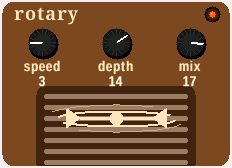
Rotary
A spinning-speaker cabinet: the sound swirls and sways as the horn goes round. Turn SPEED and it spins up or slows down gradually, like the real thing.
SPEED · DEPTH · MIX
Try it on Tonewheel or electric piano.
SPACE
Rooms and echoes. Shared by the whole band: the first knob is how much this instrument sends.
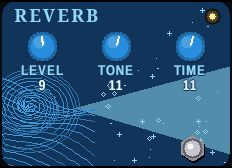
Reverb
Puts the band in a room or a hall.
LEVEL · TONE · TIME
Try it on everything, a little.
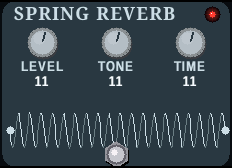
Spring Reverb
The splashy, boingy reverb from a guitar amp.
LEVEL · TONE · TIME
Try it on drums and guitar.
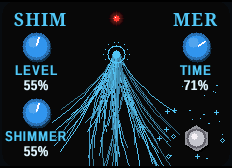
Shimmer
A reverb whose tail rises an octave with each repeat: glowing and angelic.
LEVEL · TIME · SHIMMER
Try it on pads and slow chords.
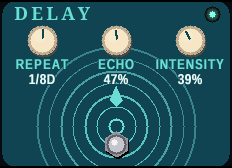
Delay
Echoes in time with the tempo.
REPEAT · ECHO · INTENSITY
Try it on a lead melody.
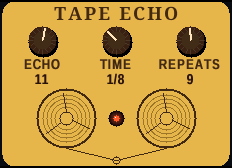
Tape Echo
Warmer, darker echoes, like an old tape machine.
ECHO · TIME · REPEATS
Try it on vocal-like leads, dub drums.
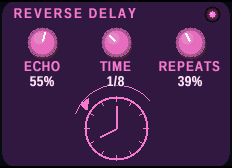
Reverse Delay
Echoes played backwards, swelling into each note.
ECHO · TIME · REPEATS
Try it on a lead or guitar.
PITCH
New notes from the ones you play.
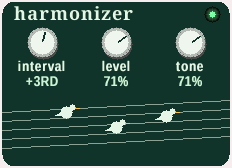
Harmonizer
Plays a second note with every note you play: a third, fourth, fifth, sixth or octave above or below, always in the song's key, on the same sound. It uses a voice for each harmony note, so it suits melodies more than big chords (not on bass).
INTERVAL · LEVEL · TONE
Try it on a lead melody, a third up.
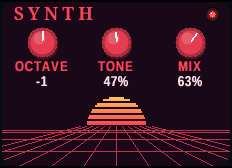
Synth
Adds a square-wave synth an octave or two under the lowest note.
OCTAVE · TONE · MIX
Try it on pads, for a built-in bass.
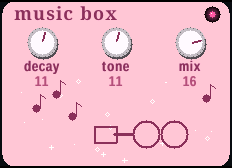
Music Box
A little plucked bell an octave up on every note.
DECAY · TONE · MIX
Try it on pads or piano.
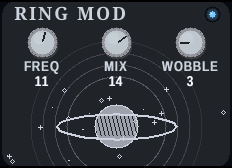
Ring Mod
Metallic, bell-like and robotic: the sound multiplied by a tone.
FREQ · MIX · WOBBLE
Try it on drums or a lead.
TEXTURE
Wear, grain and weather on the sound.
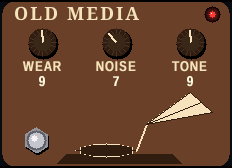
Old Media
A worn tape or record: wobble, hiss and crackle.
WEAR · NOISE · TONE
Try it on strings or piano.
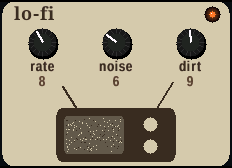
Lo-Fi
Grainy and dull, like a cheap sampler or an old radio.
RATE · NOISE · DIRT
Try it on drums or keys.
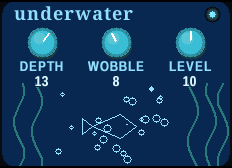
Underwater
Muffled and drifting, like hearing the band from the bottom of a pool.
DEPTH · WOBBLE · LEVEL
Try it on a guitar or pad.
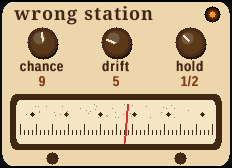
Wrong Station
Now and then tunes the instrument to a neighbouring sound, with a burst of static, then back, as if turning a radio dial.
CHANCE · DRIFT · HOLD
Try it on the lead, or the drums (it changes kit).
BEHAVIOUR
Pedals that change how a part plays as it goes.
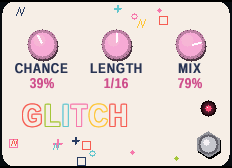
Glitch
Now and then a step stutters and repeats, locked to the beat.
CHANCE · LENGTH · MIX
Try it on drums or a lead.
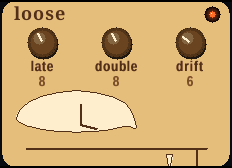
Loose
Plays a part late and human, with a second player a step behind.
LATE · DOUBLE · DRIFT
Try it on drums, to loosen a stiff beat.
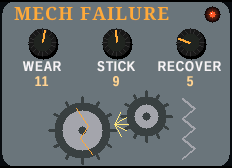
Mech Failure
The instrument wears out as it plays: missed notes, stuck notes, notes out of tune, until it suddenly works again.
WEAR · STICK · RECOVERY
Try it on a piano or a drum machine.
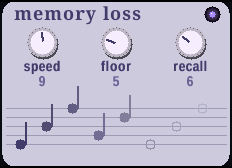
Memory Loss
Each time the pattern comes round, a few more notes are forgotten until only fragments remain. RECALL brings them back in waves.
SPEED · FLOOR · RECALL
Try it on a busy part, to strip it back.
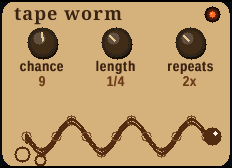
Tape Worm
Keeps the last few steps played and now and then loops a fragment of them.
CHANCE · LENGTH · REPEATS
Try it on drums or a bassline.
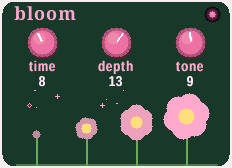
Bloom
Each note starts clean, then grows richer the longer you hold it as higher harmonics bloom in.
TIME · DEPTH · TONE
Try it on long pad chords.
Good to know
An instrument can't have the same pedal twice (or Glitch with Loose). PLAY to stop also cuts every echo.
Wrong Station always tunes back to your own sound when the music stops, and while the sound editor is open, so a borrowed sound is never saved.
If a pedal won't switch on and CPU FULL shows, switch another off first. Phaser, Filter Seq and Wah use the most. If the sound crackles, switch a pedal off.
Beats and patterns
Each instrument has ten patterns, A–J, one to four bars long: think verse, chorus, fill. PRESETS picks one; while playing, it switches at the end of the current pattern. Turn to an empty one and it takes the length of the one you were just on, so you can keep playing straight into it.
Drums, empty pattern, SEQ. Kick on white keys 1, 5, 9, 13; snare on 5 and 13; hats on every other key. PLAY.
Write a bassline in B while A plays, then turn PRESETS to B.
Tempo, mix, brightness, swing
On the home screen, KNOB 1 is the tempo, KNOB 2 the chosen instrument's mix level and KNOB 3 its brightness (on drums: the whole kit's decay, tight to long). Swing is on the SONG page (GLO twice), KNOB 3: from straight (50 %) to a heavy shuffle (66 %).
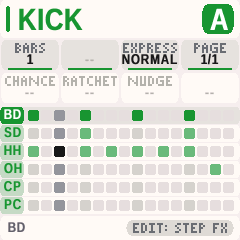
The drum grid.
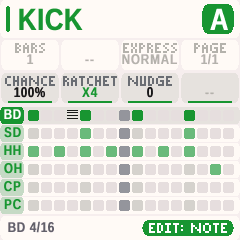
STEP FX on a hit: a ratchet of four.
Drum beats
Choose the drums and press SEQ for the drum grid. The first six black keys pick a drum; the 16 white keys switch its hits on and off. KNOB 4 (or OCT- OCT+) changes bar, KNOB 1 sets the length.
KNOB 3 sets how hits play: SOFT, LOUD, SHORT, and so on. To change one hit, hold its key and turn KNOB 3.
Step extras on drums: tap EDIT for the STEP FX deck, then tap a white key to choose a hit (an empty step gets one). KNOB 1 its chance, KNOB 2 a ratchet (a roll of 2–4 hits), KNOB 3 a nudge early or late. Each hit has its own; the grid shows them (stacked bars, a hollowed hit, a shift).
Live recording
On the home screen, tap REC: a one-bar count-in on the screen (4 · 3 · 2 · 1), then the music starts and you record into the chosen track, your notes snapped to the beat and added to what's there. Already playing? The count shows dimmed until the next bar line, then counts that whole bar, then you're recording. Tap REC to stop. (SEQ then REC opens the same LIVE page.)
Undo: tap ARP on the LIVE page to take the last pass back. An empty pattern grows with your first take, a bar at a time up to four, and ends at the bar where you stop (stop a little late, into an empty bar, and that bar is left off). A MIDI keyboard's velocity records as SOFT, NORMAL, LOUD or PUNCH. Hold REC for the RECORD page: clear the pattern or everything (REC twice).
Step by step
For lead, pads and bass, SEQ shows a piano roll. ALGORITHM moves the cursor; play a key to write a note (hold several for a chord). Above the roll, all eight knob settings show as two rows of named boxes: the NOTE deck and the STEP FX deck. The one the knobs turn is lit; EDIT switches, and the pill at the bottom right says where it goes next.
| KNOB 1 BARS | Pattern length: 1–4 bars. |
| KNOB 2 LEN | Note length: 1/16 up to a whole bar. |
| KNOB 3 EXP | How it's played: NORMAL, SOFT, LOUD, SHORT (staccato), PUNCH (accent), SMOOTH (legato), PLUCKED. |
| KNOB 4 NOTE | Move the note up or down. |
| EDIT | Switches the knobs to the STEP FX deck (and back): KNOB 1 chance (100 % down to 13 %), KNOB 2 ratchet (1–4 quick hits), KNOB 3 nudge (a little early or late), KNOB 4 the note to the next one in the key. Both decks show above the roll, every box named; the one the knobs turn is lit. Drums: the hit held or last tapped. (The sound editor: from home.) |
| ARP | Tap: tie. Hold: rest. |
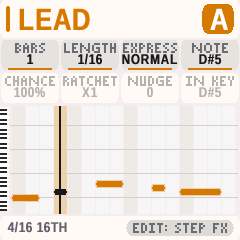
The step recorder: the NOTE deck lit.
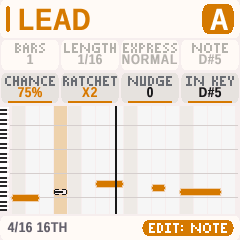
After EDIT: chance, ratchet, nudge, in key.
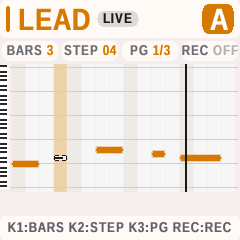
Live recording.
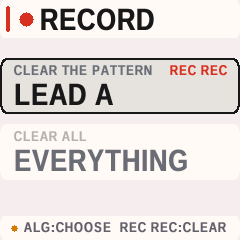
Hold REC: the RECORD page.
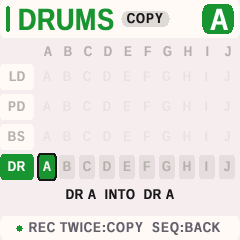
The copy page.
Copying
Hold SEQ for the copy page. SELECT and PRESETS pick what to copy; REC twice copies it into the pattern you're editing. Lead, pads and bass can copy from each other. Quicker: on the home screen, hold ARP and turn PRESETS to copy into the next letter.
Moving and clearing
Hold OCT- or OCT+ to move a pattern down or up an octave. Hold REC for the RECORD page to clear it.
Playing live
For jamming over your patterns.
Arpeggiator (ARP)
Hold a chord and it plays the notes in turn, in time. Tap ARP for on/off, hold for its settings.
| KNOB 1 | On / off. |
| KNOB 2 | Rate: 1/4 to 1/32. |
| KNOB 3 | Octaves: 1 to 4. |
| KNOB 4 | Direction: up, down, random. |
Not on drums.
Beat repeat (hold GLO)
Hold GLO while playing: the current slice loops until you let go. The first five white keys pick its length, from 1/2 bar to 1/32.
Mixer (GLO)
Tap GLO. KNOB 1–4 set the four volumes; FX SEL ENV LFO mute and unmute each instrument.
The SONG page: key, swing, time
Tap GLO again for the SONG page. ALGORITHM picks the key; KNOB 1 LOCK makes the keys play only notes in it; KNOB 2 LIGHTS lights those keys; KNOB 3 sets the swing; KNOB 4 the time signature: 4/4, 3/4, 5/4, 6/8 or 7/8 (patterns keep their bars; the count-in counts the bar's beats).
Octaves, MIDI and themes
OCT- OCT+ change octave: the button lights one octave down or up, and blinks at two. For MIDI, hold HOME and turn ALGORITHM to pick a channel (or OMNI). A MIDI keyboard on USB or the TRS jack plays the chosen instrument and records just like the FM-1's own keys, in the step recorder and in live recording; on drums, the General MIDI notes (36 kick, 38 snare, 42 hat ...).
Hold HOME and turn PRESETS for the theme menu: Paper (light, the default), Dark, Neon or LCD (an old green pocket screen). The screen changes as you turn; let go of HOME to close the menu. The theme stays, even after clear all or loading a project.
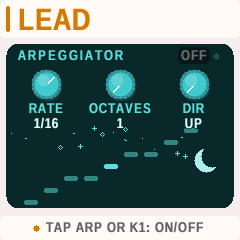
The arpeggiator.
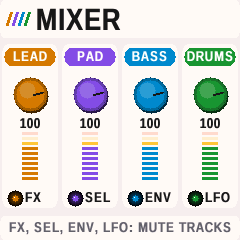
The mixer.
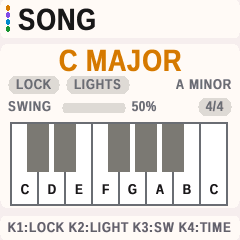
The SONG page.
Song arrangement
SUPER SEQ strings patterns into a song. Each instrument has its own row.
SUPER SEQ
Press SEQ twice. There are ten songs, A–J, each up to eight boxes long. Each box plays a pattern once, then moves on.
- A–J: that pattern. Blank: keep going. X: silence.
- So
A...B.A.plays A A A A B B A A.
| SELECT | The player's row. |
| KNOB 1 | SUPER SEQ on / off. While on, it picks the patterns instead of PRESETS. |
| ALGORITHM or KNOB 2 | The box. |
| KNOB 3 / 4 | The box's pattern (blank, A–J or X) / the song's length (1–8 boxes). |
| PRESETS | The song. Hold ARP and turn: copy it into the next letter. |
Keeping your work (SAVE)
Your work saves itself when the music stops. To keep versions, press SAVE: PRESETS picks one of twelve slots, KNOB 1–4 the pattern each track starts on, REC twice saves, PLAY twice loads. Older saves still load.
The legend under the slots lists every control of the page. Each full slot shows the pattern each player starts on, a tile per player in its colour.
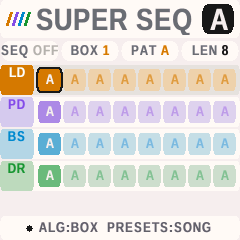
SUPER SEQ: a row per player.
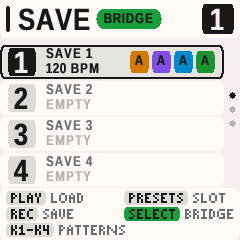
The save page, BRIDGE on.
Bridging between songs
Play your way from one save into another without stopping: the band plays a bridge and lands on the new song's beat one.
Doing it
- Press SAVE and turn SELECT: BRIDGE shows in the top bar.
- PRESETS picks the save to go to (and KNOB 1–4 the patterns it starts on).
- While the music plays, press PLAY: TO 2: QUEUED (PLAY blinks; press it again to cancel). From the start point the bridge plays (TO 2: BAR 1/4 …), then the new song starts exactly as PLAY would start it: its patterns or SUPER SEQ song, sounds, kit, mix, pedals and tempo. NOW ON 2 shows when it lands.
As it starts out (four bars, SMOOTH): the groove plays on; the lead and pad thin out to the beat; the new song's opening drums come in (on the old kit), and in the same key a hint of its bass; then a snare fill, the tempo gliding to the new song's. Neither save is changed. Stopping during a bridge lands it at once; stopping while it is queued cancels it.
The BRIDGE page
GLO from the SONG page (mixer → SONG → BRIDGE → home). Its settings belong to the instrument, like the theme.
| KNOB 1 | Length: 1, 2, 4 or 8 bars. |
| KNOB 2 | Style: SMOOTH (above); BREAKDOWN (the drums alone, then the new drums, then its bass); FILL ONLY (the song as it is, then the fill); CUT (the new song at once, on the start point). |
| KNOB 3 | Tempo: glide over the bridge, jump at its start, or jump at the end. |
| KNOB 4 | Fill on the last four steps: none, snare, toms (the kit's toms where it has them), roll (snares in 32nds). |
| ALGORITHM | Start: the next bar, the next four-bar phrase, or the end of the drums' pattern. |
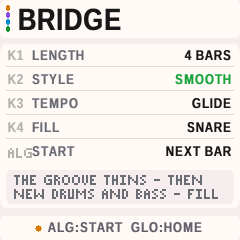
The BRIDGE page.
Advanced sound editing
Every sound is a synth you can reshape and save as your own.
The sound editor (EDIT)
Press EDIT once for the instrument screen: the type, the group and the sound (ALGORITHM or KNOB 3 steps through every sound, group into group). Press EDIT again for the sound editor: eight pages, MAIN, OSC, AMP, FILT, PITCH, NOISE, KEYS and LFO (ALGORITHM picks), each with a chart of what its knobs do.
| Page | KNOB 1 | KNOB 2 | KNOB 3 | KNOB 4 |
|---|---|---|---|---|
| INSTRUMENT (EDIT) | Type: lead, pad, bass | Group | Sound (on into the next group) | USER slot to save to |
| MAIN | Glide | Brightness (cutoff) | Resonance | Filter envelope |
| OSC | Wave 1 | Wave 2 | Wave 2 tuning | Mix / FM amount |
| AMP | Attack | Decay | Sustain | Release |
| FILT | Attack | Decay | Sustain | Release |
| PITCH | Amount: the note starts above (+) or below (−) and slides in | Time: how quickly | Vibrato delay: the LFO fades in after the note starts | Unison: two detuned copies of each wave, for a wide, thick sound (OFF to as wide as it goes) |
| NOISE | Level | Colour: dark to bright | Decay: a short burst, or HELD with the note | |
| KEYS | Key tone: higher notes brighter | Key time: higher notes shorter | Velocity tone: harder notes brighter | Velocity attack: harder notes snappier |
| LFO | Rate | Depth | Target: pitch, filter, volume, PWM | Wave: tri, square, saw, random |
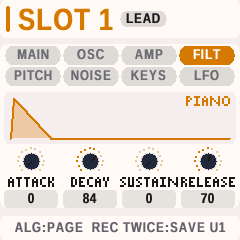
MAIN: brighter or darker, and glide. AMP: how a note's volume starts and fades. FILT: the filter's own envelope, so the tone can bloom and settle on its own (MAIN's filter envelope knob sets how far it opens). PITCH: a scoop into the note, or a zap, a vibrato that comes in late, like a singer's, and UNISON, which thickens the sound with detuned copies (on a pad both waves get them; on a lead or bass, wave 1). Strings, Solina, J Strings, Poly, Prophet, Warm and the synth leads have it on already. NOISE: a layer of noise under the tone, for breath or grit (off in the built-in sounds: add it yourself). KEYS: how the sound changes across the keyboard and with how hard you play. LFO: movement, like vibrato or tremolo. Waves include pulse and sync (wave 2).
Every built-in sound has these set to suit it: pianos ring darker as they fade and are brighter when played hard, brass scoops up and blooms, strings open slowly with a delayed vibrato. Sounds in saves from older versions play as they always did.
On drums: EDIT once is the kit screen (group, kit, USER slot); EDIT again, a tab per drum (BD SD HH OH CP PC) with its pitch, decay and level, and a chart of the hit dying away.
Your own sounds
Press REC twice on any page of the sound editor to save your sound, so a tweak is never lost when you move on. It saves to the USER slot shown on the bottom line (SAVE U1); pick another with KNOB 4 on the instrument (or kit) screen. There are 8 slots per type and 4 for kits. They are kept in your saves and survive clear all.
Voices
Lead, pads and bass share nine voices (four each for lead and pads, one for bass). A bass plays one note per step.
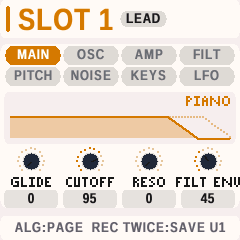
MAIN: the filter's curve.
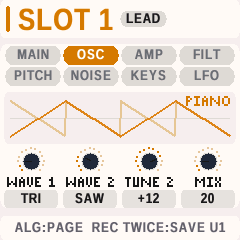
OSC: the two waves.
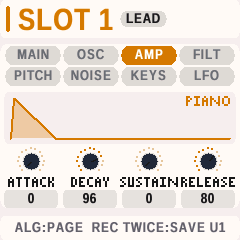
AMP: the volume's envelope.
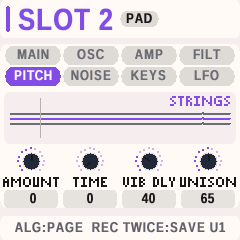
PITCH on Strings: the vibrato coming in late, and the unison copies either side.
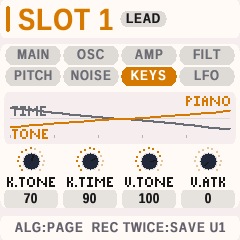
KEYS: brighter and shorter up the keyboard.
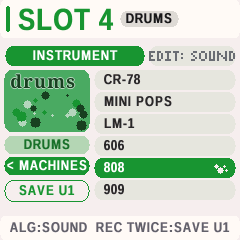
Drums: the kit screen.
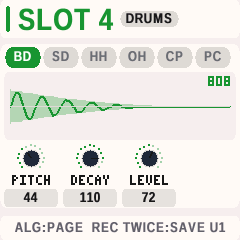
A drum's page.
Complete controls
Every control in one place.
The rules
SELECT
The instrument.
PRESETS
The pattern; on pedal pages the kind of pedal; in SUPER SEQ the song.
ALGORITHM
Chooses on the page; never changes page.
KNOB 1–4
The settings on screen. KNOB 1 is on/off where there is one.
TAP OR HOLD
Pedals and ARP: tap on/off, hold to open. GLO: tap mixer, hold beat repeat.
REC TWICE
Confirms saving, copying and clearing.
PRESS AGAIN
EDIT: instrument, sound, pedals, home. SEQ: recorder, SUPER SEQ. GLO: mixer, SONG, BRIDGE, home.
HOME
Home, from anywhere.
Anywhere
| PLAY | Start (from step one) and stop. |
| SELECT | The player. |
| PRESETS | Its pattern, A–J. Hold ARP: copy into the next letter. Hold HOME: the theme menu. |
| FX SEL ENV LFO | Tap: the pedal on / off. Hold 0.5 s: the pedal's page. |
| EDIT | The instrument; again: the sound editor (with charts); again: the pedalboard; again: home. |
| SEQ | The step recorder; again: SUPER SEQ; again: back to the step recorder. Held in the step recorder: the copy page. |
| ARP | Tap: on / off. Hold 0.5 s: the arpeggiator's page. |
| GLO | Tap: the mixer, then the SONG page, then the BRIDGE page, then home. Hold: beat repeat. |
| SAVE | The save page (again: close). |
| HOME | Home. Held, with PRESETS: the theme menu (Paper, Dark, Neon, LCD); with ALGORITHM: the MIDI channel. |
| OCT- OCT+ | Tap: the keys' octave (drum step recorder: the bar). Hold 0.5 s: the pattern being edited moves down / up an octave. |
| MASTER | The volume. |
Home screen
| ALGORITHM | The sound or kit, through every group. |
| KNOB 1 / 2 / 3 / 4 | Tempo / the chosen instrument's mix level / its brightness (drums: kit decay) / pedal fade (0–4 bars). |
| REC | Tap: record into the chosen track (a count-in first). Hold: the RECORD page (clear the pattern or everything). |
Pedal and arpeggiator pages
| PRESETS / ALGORITHM | Pedal: the kind / the pedal within it. |
| KNOB 1 | On / off. |
| KNOB 2 / 3 / 4 | The pedal's three knobs; arpeggiator: rate / octaves / direction. |
Pedalboard (EDIT three times)
| ALGORITHM | The pedal slot. |
| PRESETS | Another pedal in that slot. |
| KNOB 1 / 2–4 | On / off / its three knobs. |
Step recorder
| KNOB 1 / 2 / 3 / 4 | Lead, pads, bass: bars / note length / expression / note up-down. Drums: bars / – / expression / bar shown. |
| ALGORITHM | The cursor. |
| Keys | Lead, pads, bass: write notes (held together: a chord). Drums: black keys choose the drum, white keys switch steps. |
| ARP | Tap: tie. Hold: rest. |
| REC | Tap: live recording. Hold: the RECORD page. |
| SEQ | Tap: SUPER SEQ. Hold: the copy page. |
| EDIT | Knobs: the NOTE deck ↔ the STEP FX deck (chance / ratchet / nudge / note in key). On drums a white key then chooses the hit. |
Live recording
| REC | A take on / off (a bar's count-in first; stopped: then the music starts). Hold: the RECORD page. |
| ARP | Undo the last take. |
| KNOB 1 / 2 / 3 | Bars / cursor / bar shown. |
Copy page
| SELECT / PRESETS | The player / the pattern to copy from. |
| REC twice | Copy it into the pattern being edited. |
| SEQ | Back, without copying. |
Sound editor
| EDIT | Once: the instrument (drums: the kit). Again: the sound editor. Again: the pedalboard. |
| ALGORITHM | Instrument screen: the sound, group into group. Sound editor: the page, MAIN, OSC, AMP, FILT, PITCH, NOISE, KEYS, LFO (drums: each drum). |
| KNOB 1–4 | The page's four settings. |
| REC twice | Any page: save the sound to the USER slot (chosen with KNOB 4 on the instrument / kit screen). |
SUPER SEQ, mixer, SONG, BRIDGE and save page
| SUPER SEQ | KNOB 1–4: on-off / box / its pattern / length. ALGORITHM: the box. PRESETS: the song. |
| Mixer | KNOB 1–4: the volumes. FX SEL ENV LFO: mute. |
| SONG | ALGORITHM: the key. KNOB 1: lock. KNOB 2: lights. KNOB 3: swing. KNOB 4: time signature. |
| BRIDGE | KNOB 1: length. KNOB 2: style. KNOB 3: tempo. KNOB 4: fill. ALGORITHM: start. |
| Save page | PRESETS: the slot. KNOB 1–4: each track's starting pattern. REC twice: save. PLAY twice: load. SELECT: bridge on / off; then, playing, PLAY: bridge into it (again: cancel). |
Gallery